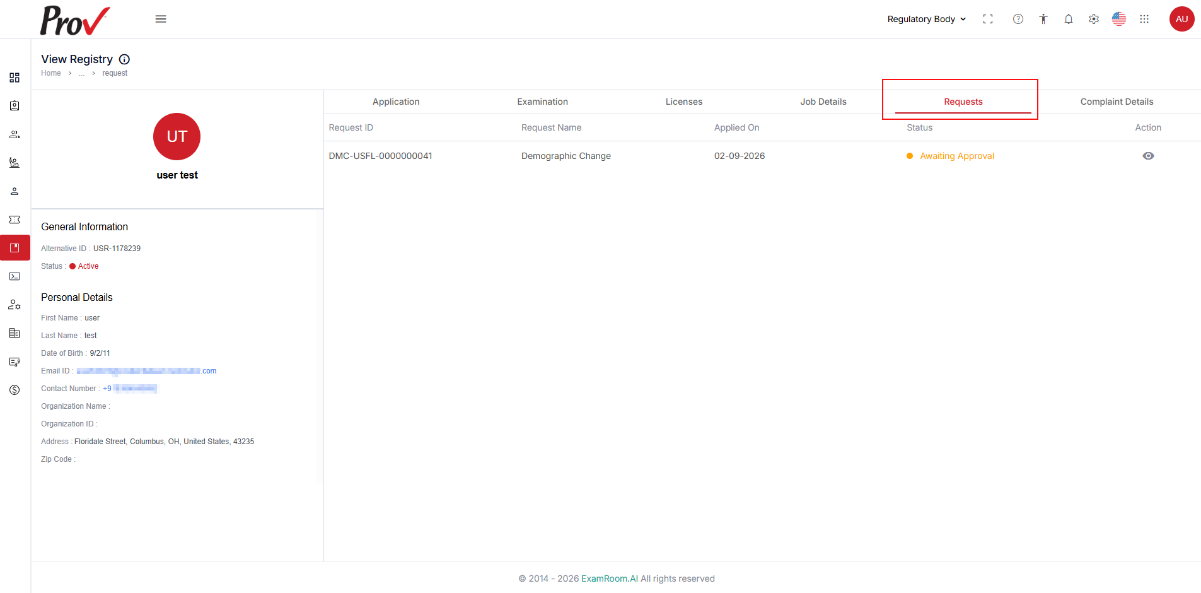
View Candidate Registry
To view the candidate’s registry details, follow the following steps:
- Navigate to the left navigation menu and select the Registry from the list.
- Click the View icon under the Action column to view the selected candidate’s registry details.
- The View Registry page includes details on General Information, Applications, Examination, Education Details, License, Job Details, Requests, and Complaint Details.
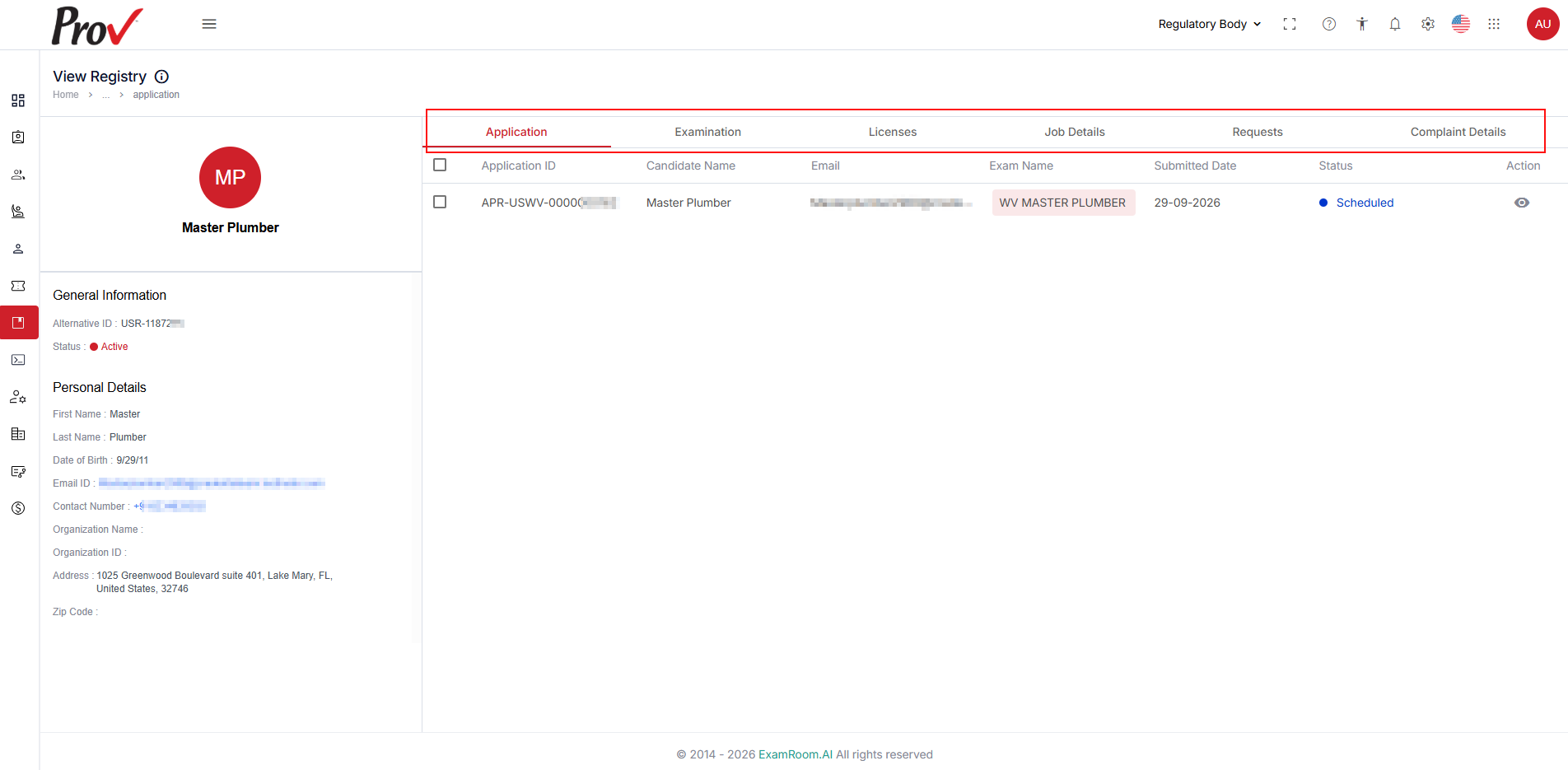
General Information & Personal Details
In the General Information section, the candidate's Alternative ID is displayed. The Personal Details section provides additional information, including the candidate's name, date of birth, registered email address, contact number, organization name, organization ID, and address.
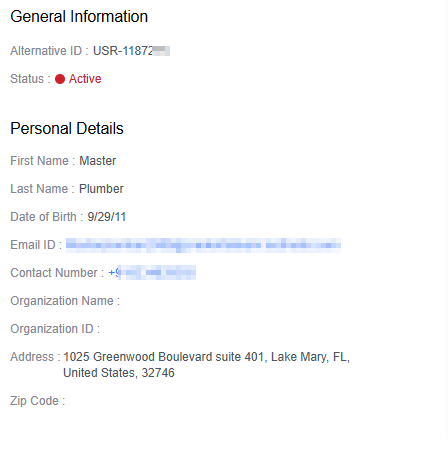
Application
The Application tab displays all the submitted applications by the candidate.
- The Application section includes the details below:
- Application ID: Displays the unique ID generated.
- Candidate Name: Displays the name of the candidate.
- Email: Displays the candidate's email ID.
- Exam Name: Displays the exam name selected by the candidate.
- Submitted Date: Displays the application submission date.
- Status: Displays the status of the request.
- Action: You have a view option to see the application details.
- You can view and review the Candidate Applications; refer to the View and Review an Application Form.

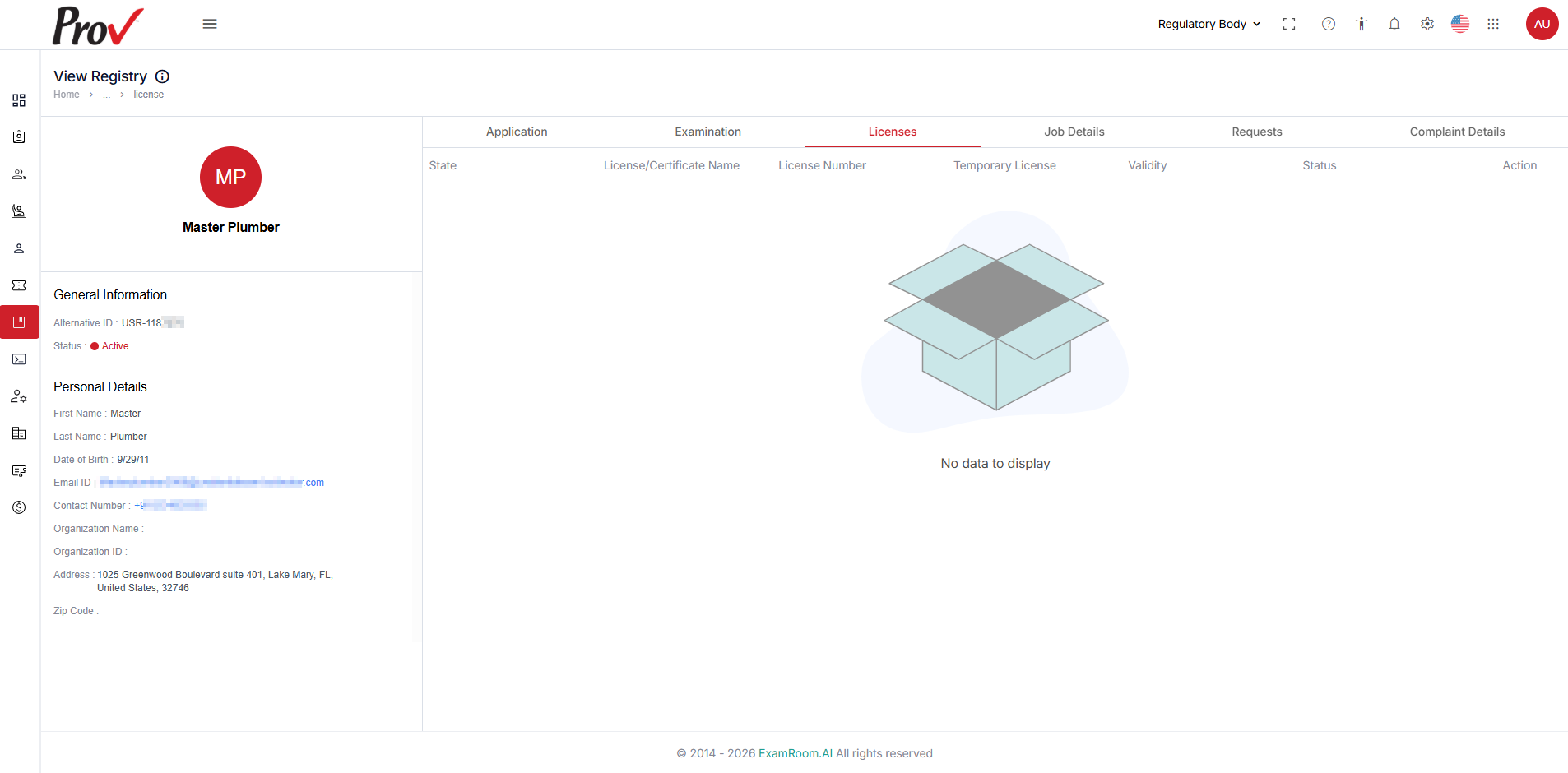
Licenses
The Licenses tab displays the candidate's obtained licenses and certificates. You can also review and manage their licensing details. Presented in a tabular format with the following details:
- State: Indicates the state or region that issued the license.
- License/Certificate Name: Displays the name of the license or certificate.
- License Number: Shows the unique license number.
- Validity: Specifies the validity period of the license/certificate.
- Status: Reflects the status of the license request.
- Action: Provides an option to view detailed license information.
Click the View icon in the Action column to access the license details.
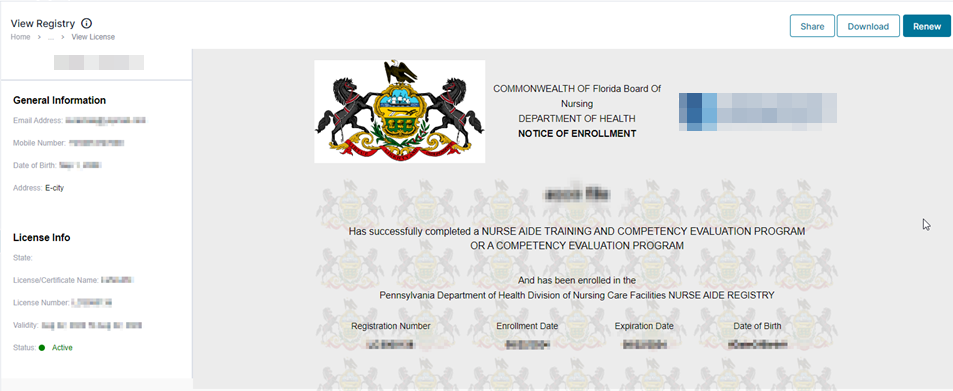
License Information
The License Information section includes General Details, License Info, and the certificate.
- The General Information section includes details such as Email Address, Mobile Number, Date of Birth, and Address.
- The License Info section includes details such as State, License/Certificate Name, Validity, and Status of the certificate.
- To take actions on the certificate, follow the following steps:
- Click the Share button on the top right, enter the email, and add a comment to share the Licenses/Certificate.
- Click the Download button on the top right to download the Licenses/Certificate.
- Click the Renew button on the top right to renew the candidate’s License/Certificate.
Requests
All the candidate’s requests are listed in the Request tab. You can also review and take action if the request is in the Awaiting Response status. You can review and manage all the requests.
- The Request Tab is displayed in a tabular format and contains the following details:
- Request ID: Displays the request ID generated.
- Request Name: Displays the name of the request submitted by the candidate.
- Applied On: Displays the date when the request was submitted.
- Status: Displays the status of the request.
- Action: View the request and its details.
- View the request details by clicking on the View icon.
- If a request is in the Awaiting Response status, you can review it and take action.