
Settings
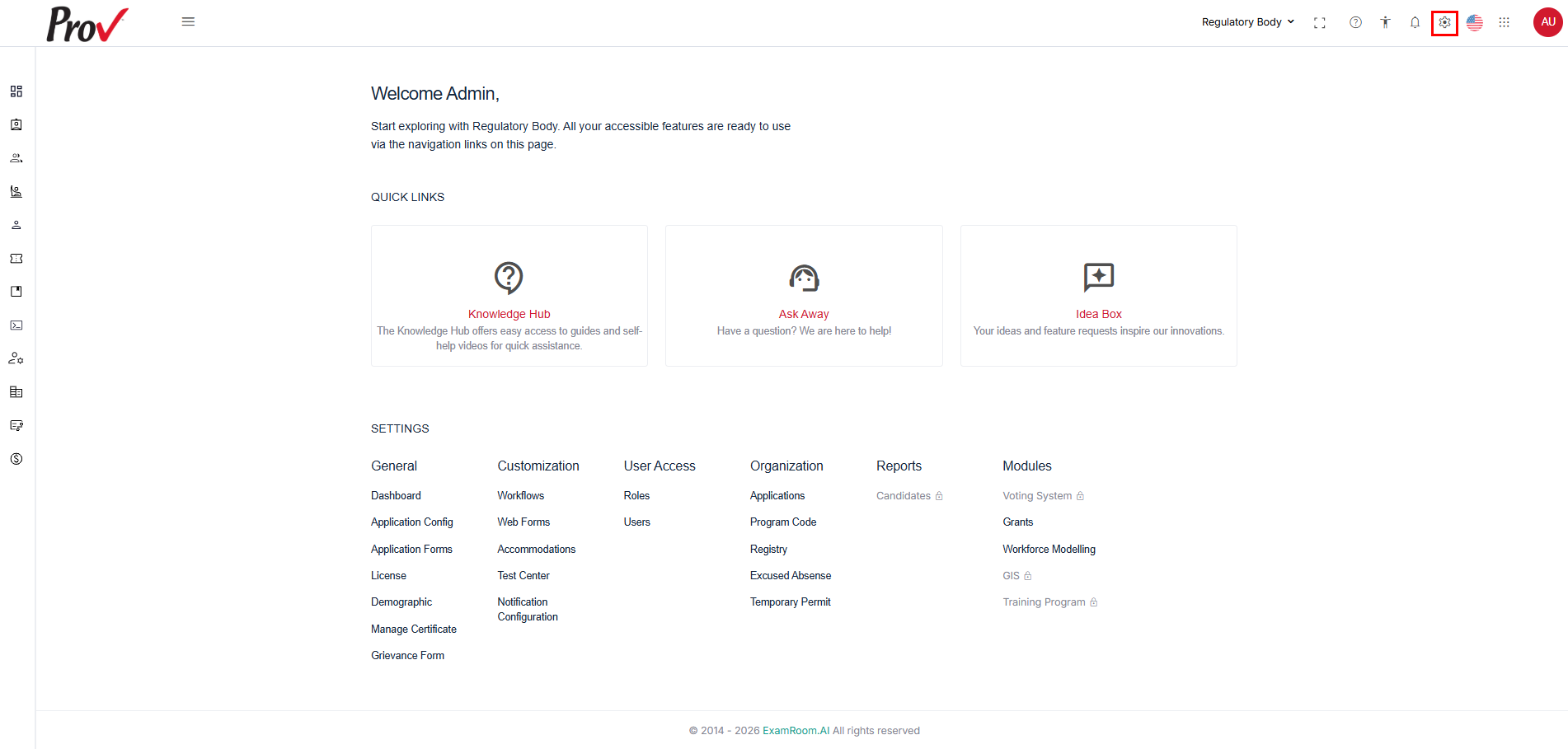
The Settings section provides quick access to all platform features and options, including customization, application configuration, forms, workflows, and other administrative tools for managing core application settings and system-wide configurations.
To access the settings:
- Log in to the Regulatory Body Admin portal.
- Click the Settings icon located in the top-right corner of the header bar.
Note: Settings marked with a lock icon are restricted and cannot be accessed by the current user. Available settings depend on the permissions assigned to the board and the workflows supported for the board.
General
Application Forms
- To learn about the Application Form, refer to the Application Form section.
License
- To learn about the License option, refer to the License section.
Demographic
- To know about the demographic option, refer to the Demographic section.
Customization
Workflows
- To learn about the Workflow, refer to the Workflow section.
Web Forms
- To learn about the Web Form, refer to the Web Forms section.
User Access
Roles
- To learn about Roles, refer to the Roles section.
Users
- To learn about Users, refer to the Users section.
Organization
Applications
- To learn about applications and the candidate's journey, refer to the Applications section.
Program Code
- To learn about the Program Code option, refer to the Program Code section.
Registry
- To learn about the Registry option, refer to the Registry section.